Canada Visa Photo Size and Requirements: Specifications & Common Mistakes to Avoid
Updated: July 21, 2026
Submitting the correct visa photo is a small but essential part of your Canada visa application. A photo that doesn't meet the official specifications can delay processing or even result in your application being returned for correction.
A visa photo may seem like a minor part of your Canada visa application, but it plays an important role in identity verification. Photos that do not meet IRCC's specifications can delay processing or require you to submit replacement images. This guide explains the latest Canada visa photo size requirements, acceptable backgrounds, digital photo standards, and practical tips to help you avoid common mistakes.
Do You Need a Photo for a Canada Visa?
Yes. Most Canadian immigration applications require applicants to submit photographs that meet the official standards set by Immigration, Refugees and Citizenship Canada (IRCC).
You may need to provide:
- Printed photos for paper applications
- Digital photos for online applications
- New photos when requested by IRCC during processing
Always check the document checklist for your specific visa or permit before submitting your application.
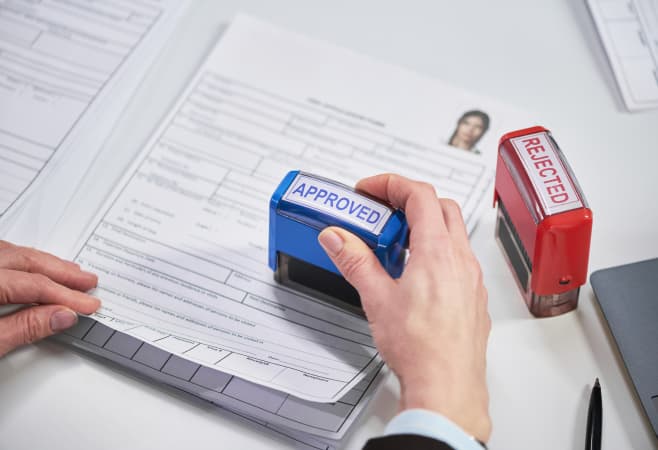 Preparing the correct Canada visa photo is an important step toward a smooth Canadian visa application process
Official Canada Visa Photo Specifications
Here’s exactly what IRCC requires for printed photos on Temporary Resident Visa applications:
- Size: Minimum 35 mm wide x 45 mm high (about 1 3/8″ x 1 3/4″).
- Quantity: Provide two identical photos.
- Age of photo: Taken within the last 6 months to reflect your current appearance.
- Color: Black and white or color is acceptable.
- Quality: Printed on high-quality photographic paper. Must be clear, sharp, and in focus. No alterations or digital enhancements.
Head and Pose Requirements
- Full front view of your head and shoulders, centered in the frame.
- Face square to the camera with a neutral expression (no smiling, frowning, or mouth open).
- Eyes are open and clearly visible.
- Head size (chin to crown/top of head): Between 31 mm and 36 mm (1 1/4″ to 1 7/16″).
- Plain white or light-colored background with good contrast to your face.
- No shadows on your face or background.
- Uniform lighting, no glare or flash reflections.
What to avoid
- Sunglasses, tinted glasses (unless for medical reasons, with a note).
- Hats or head coverings (unless for religious or cultural reasons—your face must still be fully visible from chin to forehead).
- Heavy makeup that changes your natural appearance.
- Uniforms or camouflage clothing.
Canada Visa Photo Requirements at a Glance
| Requirement | Specification |
Photo size | Photo size 35 mm × 45 mm |
| Face size | 31 mm to 36 mm (from chin to crown) |
| Background | Plain white or light-colored background |
| Photo quality | Sharp, clear, high resolution |
Color | Color or black and white accepted (unless otherwise instructed) |
| Expression | Neutral facial expression |
| Eyes | Open and clearly visible |
| Glasses | Allowed if no glare or tinted lenses |
| Head coverings | Only for religious or medical reasons |
| Age of photo | Taken within the last 6 months |
| Retouching | Not permitted |
Digital Photo Requirements
If you are submitting your application online, you may need to upload a digital photo.
The digital image should:
- Be clear and in focus
- Match the printed photo specifications
- Not be digitally altered
Be saved in an accepted file format (such as JPEG, if specified by the application system)
Meet the minimum resolution and file size requirements shown in your online application portal
Always follow the upload instructions provided by IRCC, as technical requirements may vary depending on the application type.
Photo Requirements for Children and Babies
Little ones need their own individual visa photos, and while the IRCC gives a small amount of leeway for babies, the core size rules still apply.
Taking Visa Photos of Toddlers and Infants
Parents often place infants on a plain white sheet to achieve a suitable background.
The Expression: Newborns and infants do not need to hold a strictly neutral expression. Eyes should be open whenever possible. The child should face the camera.
No toys, pacifiers, or other people should appear in the photo.
No Hands Allowed: If you are supporting your baby’s head, your hands cannot be visible in the frame.
 A Canada visa photo must meet the official size, background, and quality requirements for a successful application
What Counts as a Non-Compliant Photo - Common Reasons Canada Visa Photos Are Rejected
Many visa delays result from photos that fail to meet IRCC standards.
Common mistakes include:
- Incorrect photo dimensions
- Face too small or too large
- Dark or patterned background
- Poor lighting
- Blurry images
- Digital filters or excessive editing
- Wearing sunglasses
- Hair covering the eyes
- Photos older than six months
- Cropped passport photos
- Selfies taken with a mobile phone
Double-check everything before submitting. Processing times vary by country and volume, so give yourself plenty of buffer—especially during peak summer travel seasons.
The AI and Editing Trap
Avoid using beauty filters, AI-powered editing tools, or background replacement apps when preparing your visa photo. Photos that have been digitally altered or do not accurately represent your current appearance may not meet IRCC requirements and could result in your application being delayed or you being asked to submit a new photo. Whenever possible, use an original, unedited photo taken by a professional photographer.
Step-by-Step Tips for Getting Your Canada Visa Photo Right
For the best results:
- Wear dark clothing to contrast with the light background.
- Keep your hair away from your eyes.
- Remove hats unless worn for religious or medical reasons.
- Avoid heavy makeup or beauty filters.
- Sit upright and face the camera directly.
- Use even lighting to eliminate shadows.
Before leaving the photo studio, verify that the dimensions match Canada's official requirements.
Some Tips for Your Canada Visa Photo Right the First Time
Visit a professional: Go to a photo shop, pharmacy, or service familiar with Canadian visa standards (many advertise “passport photos”).
DIY option: While it is technically possible to take your own photo, using a professional photographer familiar with Canadian visa photo specifications greatly reduces the risk of rejection.
For digital uploads (when required): Some applications accept JPEG files with specific pixel dimensions (e.g., 420 x 540 pixels minimum). Always check your specific form.
For paper applications, follow the instructions provided in your document checklist. In many cases, the photographer must stamp or write the studio name, complete address, and the date the photo was taken on the back of one photo. Avoid writing on the photos yourself unless specifically instructed.
Pro traveler tip: Take extra photos while you’re at it. You might need them for your passport application, driver’s license renewal back home, or other travel docs.
 Following Canada's official visa photo requirements helps prevent delays in processing your application
Special Considerations by Travel Situation
Families: Each family member (including infants and children) needs their own compliant photos. Babies and young children should face the camera whenever possible, although IRCC allows some flexibility for newborns.
Biometrics: During biometric collection, a biometric photograph is taken together with your fingerprints. This does not replace the visa photo required as part of your application unless IRCC specifically indicates otherwise.
Religious or medical accommodations: Contact IRCC or your local VAC in advance with supporting documentation.
Can You Take a Canada Visa Photo at Home?
Yes, provided the photo fully complies with IRCC's technical specifications.
However, many applicants choose a professional photo studio because even minor errors in size, lighting, or composition can result in rejection. If you take the photo yourself, carefully review all official requirements before uploading or printing it.